Publish to a Static Site with Micropub and Quill
A Micropub endpoint on a static site is a serverless function that verifies an IndieAuth token, creates a Markdown post file, and commits it to your repository so the host rebuilds the site.
- By
- Brennan Kenneth Brown
- Published
- Reading time
- 3 minutes
- Level
- Advanced
- You need
- A static site built from a git repository
- Serverless function hosting such as Netlify

Micropub is a W3C protocol that lets clients such as Quill, a web-based writing client, publish posts to your own site. This guide shows how I built a Micropub endpoint for a static Eleventy site hosted on Netlify. The endpoint is a serverless function that receives posts from Quill and commits them to a GitLab repository.
It reuses the token handling from my IndieAuth comment system, so set that up first or substitute your own token verification. I had also tried a headless CMS (Decap) for posting from outside the repository, but Micropub suited me better for the reasons below.
What is Micropub?
Micropub is a W3C recommendation that standardizes how you create, update, and delete content on your site.
Instead of logging into an admin panel, any Micropub-compatible client can post to your site. Your website becomes your API, so you can choose the tools that work best for you. Quill is one such client. It provides a distraction-free writing interface and sends posts to your site via the Micropub protocol.
Why use Micropub on a static site?
I can post from my phone with a Micropub client, which is much easier than using a Git interface on a small screen. I am also not locked into one editing interface, because the site is the API and I own the content. The same endpoint can later accept posts from scripts or other tools.
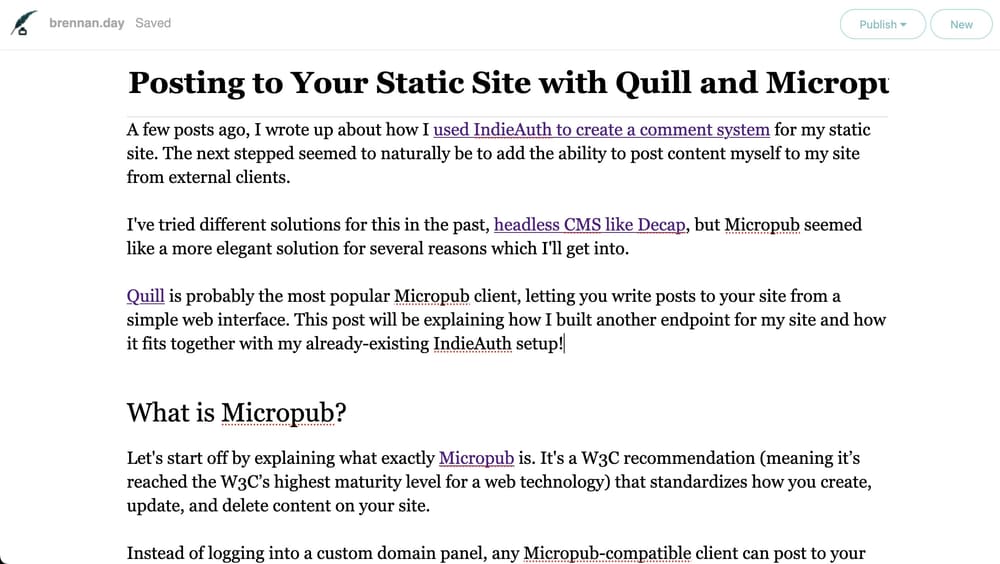
How does the Micropub architecture work on a static site?
The site is static, with no database or backend. HTML files are generated by 11ty and deployed to Netlify, so posts from Quill are received by a serverless function, as in the comment system. The flow is:
- Quill sends a Micropub request to
https://brennan.day/micropub. - A Netlify Function receives the request, validates the token, and processes the content.
- The function uses the GitLab API to commit the new post to the repository.
- Netlify detects the new commit, then rebuilds and redeploys the site.
How do I set up Quill?
Quill needs three things from your site: the Micropub endpoint, the authorization endpoint, and the token endpoint. The last two can be reused from the comment system.
The authentication flow was already working from the comment system. Quill requests the scopes profile create update media, and the create scope is what allows it to post content.
The Micropub Endpoint
The Micropub endpoint is a Netlify function that handles different types of requests. The basic structure is below. siteUrl is assumed to be defined elsewhere in the file as your site's base URL.
exports.handler = async (event, context) => {
  // Handle GET requests for configuration
  if (event.httpMethod === 'GET') {
    const queryParams = event.queryStringParameters || {};

    if (queryParams.q === 'config') {
      // Return supported post types and media endpoint
      return {
        statusCode: 200,
        body: JSON.stringify({
          'media-endpoint': `${siteUrl}/media`,
          'post-types': [
            { 'type': 'note', 'name': 'Note' },
            { 'type': 'article', 'name': 'Article' }
          ]
        })
      };
    }

    if (queryParams.q === 'syndicate-to') {
      // Return available syndication targets
      return {
        statusCode: 200,
        body: JSON.stringify({
          'syndicate-to': [
            { 'uid': 'https://mastodon.social/@brennankbrown', 'name': 'Mastodon' }
          ]
        })
      };
    }
  }

  // Handle POST requests for creating posts
  if (event.httpMethod === 'POST') {
    // Verify token and process post...
  }
};
Token Verification
As with comments, every request needs a valid access token with the 'create' scope:
async function verifyToken(token) {
  const response = await fetch('https://tokens.indieauth.com/token', {
    method: 'GET',
    headers: {
      'Authorization': `Bearer ${token}`,
      'Accept': 'application/json'
    }
  });

  if (!response.ok) {
    return { valid: false };
  }

  const data = await response.json();
  return {
    valid: data.scope.includes('create'),
    me: data.me
  };
}
Handling Different Post Types
Quill can send different types of content. These are the two cases I handle:
Articles (rich posts)
// JSON format for rich posts
if (data.type === 'h-entry') {
  const properties = data.properties || {};
  const hasTitle = properties.name && properties.name.length > 0;

  let result;
  if (hasTitle) {
    // Article with title
    result = createPostFile({
      name: properties.name[0],
      content: properties.content[0],
      category: properties.category || [],
      'mp-slug': properties['mp-slug'] || [],
      'mp-syndicate-to': properties['mp-syndicate-to'] || []
    }, tokenData.me, 'article');
  } else {
    // Note without title
    result = createNoteFile({
      content: properties.content[0],
      category: properties.category || [],
      'mp-slug': properties['mp-slug'] || [],
      'mp-syndicate-to': properties['mp-syndicate-to'] || []
    }, tokenData.me);
  }

  // Commit to GitLab and return response
  return await commitAndRespond(result);
}
Notes (simple posts)
// Form-encoded for simple notes
if (data.h === 'entry' && !data.name) {
  const hasTitle = data.name && data.name.length > 0;

  let result;
  if (hasTitle) {
    // Article with title
    result = createPostFile(data, tokenData.me, 'article');
  } else {
    // Note without title
    result = createNoteFile(data, tokenData.me);
  }

  // Commit to GitLab and return response
  return await commitAndRespond(result);
}
How do I format content from Quill?
Quill sends content in different formats depending on the editor used. The rich editor sends HTML, while the note editor sends plain text. The function handles both:
function formatContent(content, type) {
  if (typeof content === 'object' && content.html) {
    // Rich content from Quill's editor
    return content.html;
  } else if (typeof content === 'string') {
    // Plain text content
    if (type === 'note') {
      // Convert line breaks to <p> tags for notes
      return content.split('\n\n').map(p => `<p>${p}</p>`).join('');
    }
    return `<p>${content}</p>`;
  }
  return '';
}
How do I create the post file?
Once the post data is parsed, the function creates a Markdown file with front matter:
async function createPost(postData, postType) {
  const filename = `${postData.slug || generateSlug(postData.title || postData.content.slice(0, 50))}.md`;
  const filepath = `src/posts/${new Date().toISOString().split('T')[0]}-${filename}`;

  const frontmatter = {
    title: postData.title || null,
    date: postData.date,
    tags: postData.tags,
    author: postData.author,  // Added from authenticated user
    postType: postType,
    syndication: postData['mp-syndicate-to'] || []
  };

  // Notes don't need titles
  if (postType === 'note') {
    delete frontmatter.title;
  }

  const content = `---
${Object.entries(frontmatter)
  .map(([key, value]) => `${key}: ${JSON.stringify(value)}`)
  .join('\n')}
---

${formatContent(postData.content, postType)}
`;

  // Write to temporary file, then commit to GitLab
  const tempPath = `/tmp/${filename}`;
  fs.writeFileSync(tempPath, content);

  await commitToGitLab(tempPath);
  return filename;
}
Build Delay
As with comments, there is a delay between posting and when the post appears, because Netlify has to rebuild the site. Quill does not know about this delay. After the commit, the function triggers a build and can optionally send a notification:
// After committing to GitLab
await triggerBuild();

// Optionally notify the user
if (postData.notify) {
  await sendNotification({
    to: postData.author,
    subject: 'Post published!',
    body: `Your post is now live at: https://brennan.day/posts/${filename.replace('.md', '')}`
  });
}
Media Endpoint: Future Work
Quill supports uploading images, but that requires a Media Endpoint, which is another serverless function that handles file uploads. For now I use external images. This is the planned approach, and it is untested:
// netlify/functions/media.js
exports.handler = async (event, context) => {
  const file = event.files.file;
  const filename = `assets/media/${Date.now()}-${file.filename}`;

  // Upload to GitLab or a CDN
  const url = await uploadFile(filename, file.content);

  return {
    statusCode: 201,
    headers: { 'Location': url },
    body: JSON.stringify({ url: url })
  };
};
The Flow
From start to finish: I write a post in Quill and click publish, which sends a POST request to the Micropub endpoint. The function verifies the token with IndieAuth, formats the content, and generates a slug. The new post is committed to the GitLab repository, and Netlify detects the change and rebuilds the site. No site code or admin panel is involved.
Future Enhancements
Features I have not built yet: the media endpoint above for image uploads, syndication to Mastodon or other federated services, draft support, editing existing posts, and Webmention support.