Tools and Directories for the Independent Web
Pika for blogging, search engines that favor small sites, and directories of personal websites: a starting list for joining the independent web.
- By
- Brennan Kenneth Brown
- Published
- Reading time
- 6 minutes
- Level
- Beginner
- You need
- No technical background needed
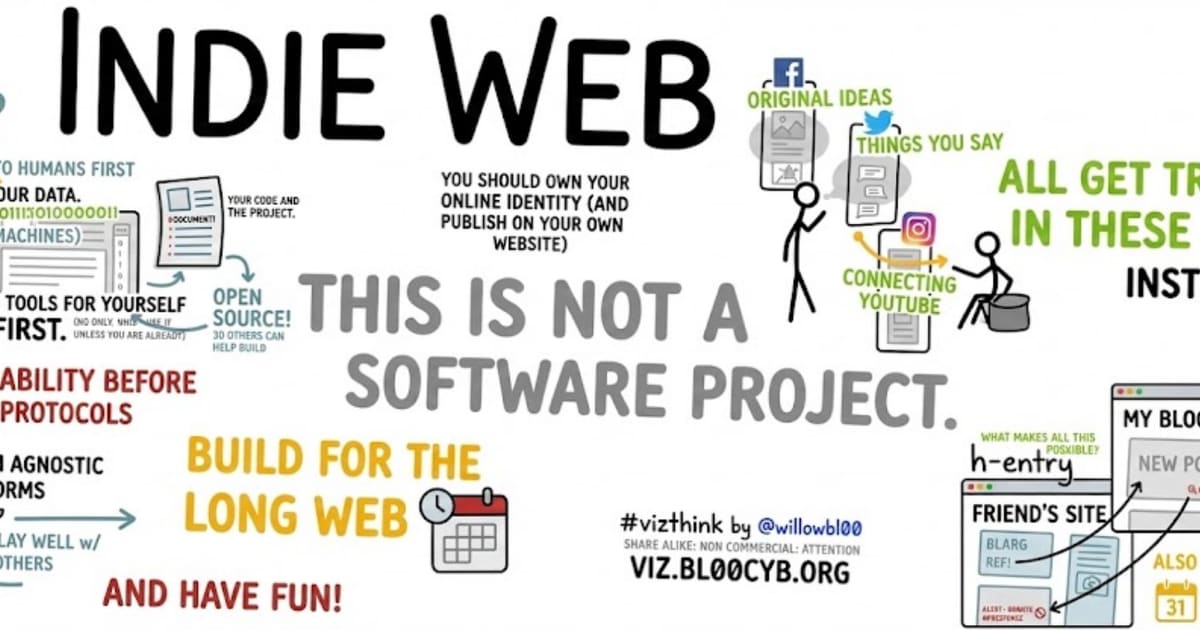

This is a list of tools and directories for the independent web: blogging platforms, search engines and directories that surface small sites, coding resources, hosting, and web-ring style community. Human-curated lists matter because search traffic has shifted, much of the web is optimized for SEO, and Google Web Search traffic to news publishers fell from 51% to 27% between 2023 and 2025. Directories, blogrolls and people pointing to other people fill that gap.
Where can I start a free personal blog?
A personal blog works best as a low-pressure place to write in public. If you mostly publish polished writing elsewhere, such as on Medium, a separate site lets you write about whatever you like without chasing metrics.
Liberate yourself and give self-permission to write whatever you want, blog about whatever you like, no matter how silly!
If omg.lol is too technical or its $20/year cost is too much, these platforms have free options.
Bear Blog, an ultra-minimalist blogging platform—very web 1.0. It suits you if you only need text.
 illustration of Barry Hess by Shawn Liu on the homepage of https://pika.page/
If you want something more extensible, try pika.page, created by Good Enough, a zine publisher and small web dev company. Their products:
- Pika: A pretty good blogging platform that makes blogging easy and beautiful. Hop in and start writing for yourself. Barry did. Why don't you?
- Letterbird: A simple contact form on the web. Give people a great experience getting in touch with you, and stop giving out your personal email address.
- Album Whale: A social-light platform where you can make beautiful lists of albums and discover new music through other beautiful lists. Let's bring back albums. And whales.
- DoEvery.Day: A simple calendar and logbook for your daily practice, whatever that may be. Choose what you want to do every day, and do it, every day.
- Printer: They have a little thermal printer hooked up to the internet where people can send them a drawing (won't you, please?).
- Quack (beta): A simple utility to share a beautifully rendered version of any markdown text. Also an excuse for them to draw a duck.
Why use Pika?
Pika's features:
- Guestbook entries (up to 50)
- Image uploads
- Simple, fun theming
- Custom homepage (footer, CSS, etc.)
- Verification to Mastodon
- Export options
- And, most importantly, a fantastic writing experience
The only catch is that there is a limit of 50 posts on their free tier. After that, it's $6/month or $60/year. Still miles cheaper than Squarespace or Ghost or any other typical options.
Fifty posts is a reasonable limit to aim for, and they don't need to be long. By then you will know whether you want to pay or move elsewhere.
The 100 Days to Offload Challenge
A blogging challenge to pair with a free platform, created by Kev Quirk, called 100 Days to Offload, where the challenge is to publish 100 posts on your personal blog within 365 days, starting whenever you want, writing about whatever interests you.
One blogger found it increased their web traffic by 20-30x, with some posts getting shared widely enough to receive 250x their usual pre-challenge daily traffic.
The Hall of Fame includes people who've done it multiple times, with some as many as four times over.
Publishing at that volume builds a writing habit and a body of work.
How do I find other independent websites?
A common criticism of the IndieWeb is that it is hard to find other people. These search engines, directories and communities help.
Search Engines
Search engines for small and independent sites:
- Kagi: A paid search engine that respects your privacy. They even have a free Small Web search specifically for discovering independent sites.
- Wiby: A search engine for the classic web, surfacing old-school, lightweight sites.
- Marginalia: Favors text-heavy websites and punishes modern web design bloat.
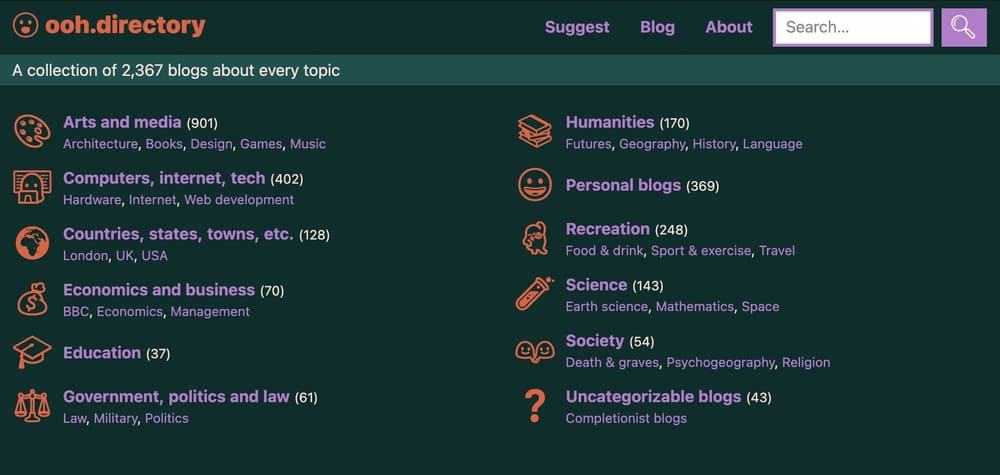 ooh.directory's homepage, featuring a collection of 2,367 blogs organized into categories.
Directories
Directories for discovering personal sites:
- Ye Olde Blogroll: A human-curated list of personal blogs and independent sites with no algorithms, updated regularly.
- URL Town: omg.lol's directory of member submissions.
- Ooh Directory: A handmade catalog of unique and nifty websites.
- Sloop Directory: A New Zealand directory of indie websites.
- Personal Sites: A directory of dozens of hand-made personal websites.
- Other places to Find Indie Web Content: A resource list from Rafał Pastuszak's digital garden.
Consider creating a blogroll yourself. A blogroll is a list of blogs you read, and it was how people built networked communities in the early blogosphere. It is returning as part of the IndieWeb movement.
Where can I read about IndieWeb principles?
Reading on the philosophy behind moving from corporate social media to the IndieWeb:
- Rachel Kwon's list collects essays from many writers on the issue.
- Yesterweb has a long manifesto on the subject.
- The IndieWeb wiki documents the principles, and the join guide explains how to get started.
- Paul Robert Lloyd has a short write-up explaining the core ideas.
What are 88x31 badges, webrings and slash pages?
These Web 1.0 conventions are worth adopting:
- 88x31 badges: Small buttons that can link to other websites or act as bumper stickers proclaiming a stance or interest. Dan's badge generator makes your own.
- Webrings: A collection of websites linked together in a circular structure, where each site has navigation buttons (Previous, Next, Random) that take you to other sites in the ring. Originally created by Sage Weil in 1994, webrings were wildly popular in the '90s and early 2000s as a way for websites sharing common interests to share traffic with each other. They have been revived in the IndieWeb community since 2018.
- Ray "brisray" Thomas maintains a comprehensive list of active webrings (347+ rings as of 2025), and there's also Tuffy's webring directory.
- Popular ones include the IndieWeb Webring (🕸💍.ws), Hotline Webring, and XXIIVV Webring for artists and developers. Joining one helps you find like-minded creators and get discovered.
- Slash pages: Robert Knight's list of standard IndieWeb pages such as /now, /uses and /about. My slash pages and accounts page are examples.
What tools do I need to build my own site?
If you want to build and host your own site, these cover coding, editors, hosting, domains and browsers.
Coding Resources
To learn to code your own site from scratch:
- Sadgrl.online Guides: Tutorials for building your own site, with emphasis on NeoCities.
- Dragonfly Cave's HTML Guide: A thorough introduction to HTML.
- HTML for People: A gentle, human-friendly approach to learning HTML.
- 11ty IndieWeb Blog Starter: My own Eleventy starter template. For a build walkthrough, see Build a Personal Site with Eleventy and Hand-Written CSS.
Code Editors
Editors for coding:
- Sublime Text 4: Fast, lightweight editor; the one I use.
- VS Codium: A VS Code fork with all the Microsoft bloat and spyware removed.
- Gram: A principled Zed fork built for writing code by hand—no genAI and no telemetry.
Hosting & Domains
Hosting:
- Awesome Self-Hosted: Plenty of self-hosting options if you want full control.
- NeoCities: Free static web hosting with a wonderful community.
- NekoWeb: An alternative to NeoCities with similar vibes.
Domain registrar:
- PorkBun: My recommendation: cheap, with good customer support.
Browsers
Browsers:
- LibreWolf: Many suggest Firefox, but LibreWolf has even more robust security and privacy built in.
- Ladybird: An independent browser engine still in development.
Misc.
Other useful tools:
- PuppyPaste: A Markdown-to-formatted-HTML converter, useful when copying from a plain-text editor into a WYSIWYG editor.
- Website Carbon: Estimates the carbon footprint of any web page.
Summary
Start with a free blog, find other sites through directories and webrings, and add your own domain and hosting when you are ready. Further reading on related topics: Static Site Generators for Beginners and Deploy an Eleventy Site to NeoCities.
Have a resource to add? Let me know. This list is updated as I find more.